
Pausing or Disabling Custom Orders
To pause or disable offering Custom Clips to Customers:
1. Navigate to the "Customs" tab within your iWantClips Artist Dashboard.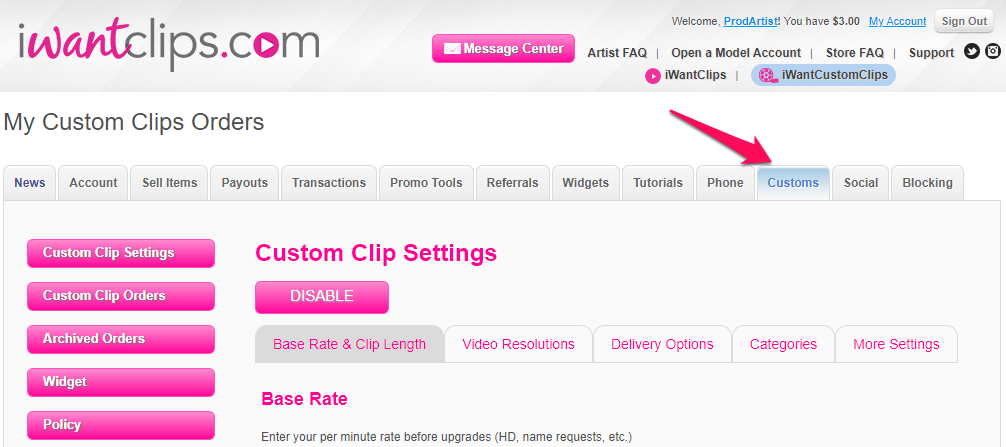
2. Click on "Custom Clip Settings".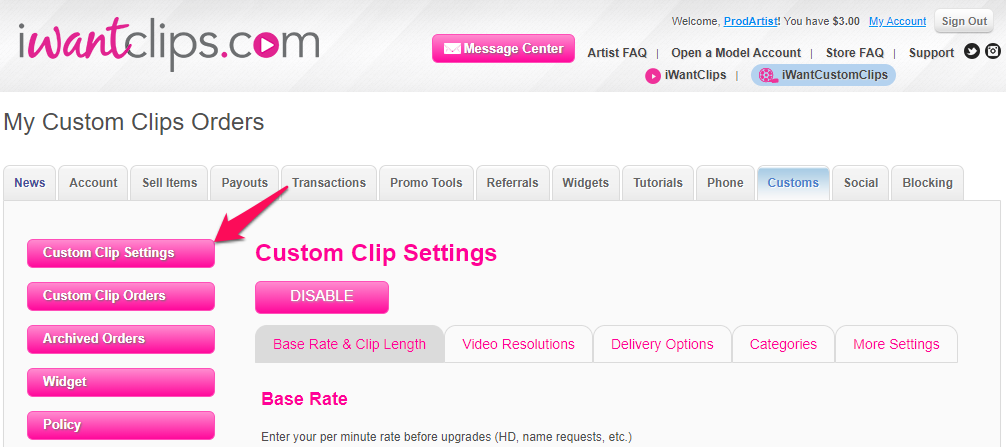
3. Click on "Disable".
Upon disabling, customers will no longer have the ability to place orders.
* Please note: Disabling will not cancel any pending clip orders; you will still be responsible for either declining these orders or fulfilling these outstanding orders to your customers.
If you have any questions regarding Custom Clips, please reach out to us anytime at Support@iWantClips.com
Thank you so much!